
SARB ONLINEReinsurance broking software

Modules

Eleven modules, one reinsurance broking house.

Every module shares one database. A slip raised in Facultative becomes a closing, a due in Credit Control and a voucher in SiFAMs without anyone typing it again.

For IT administrators and the core team

Admin Area

The masters, people and templates the rest of the system runs on.

  • Users: employees, users, roles and teams, with login access rights and single sign-on through Microsoft Entra ID or Okta.
  • Masters: branches, countries, cities, industry segments, risk classes, banks, currencies and rates.
  • Parties: original insureds, cedants, reinsurers, retrocedants, brokers, surveyors, loss adjusters, binders and MGAs, with contacts.
  • KYC and ratings: KYC documents, screening results and S&P, Fitch and Moody's ratings.
  • Underwriters: by job function and risk class, with their expertise.
  • Templates and reminders: slips, cover notes and emails; renewal, PPW/PPC and subjectivity patterns.
Administration and slip template screen
For placing and broking teams

Slip Management

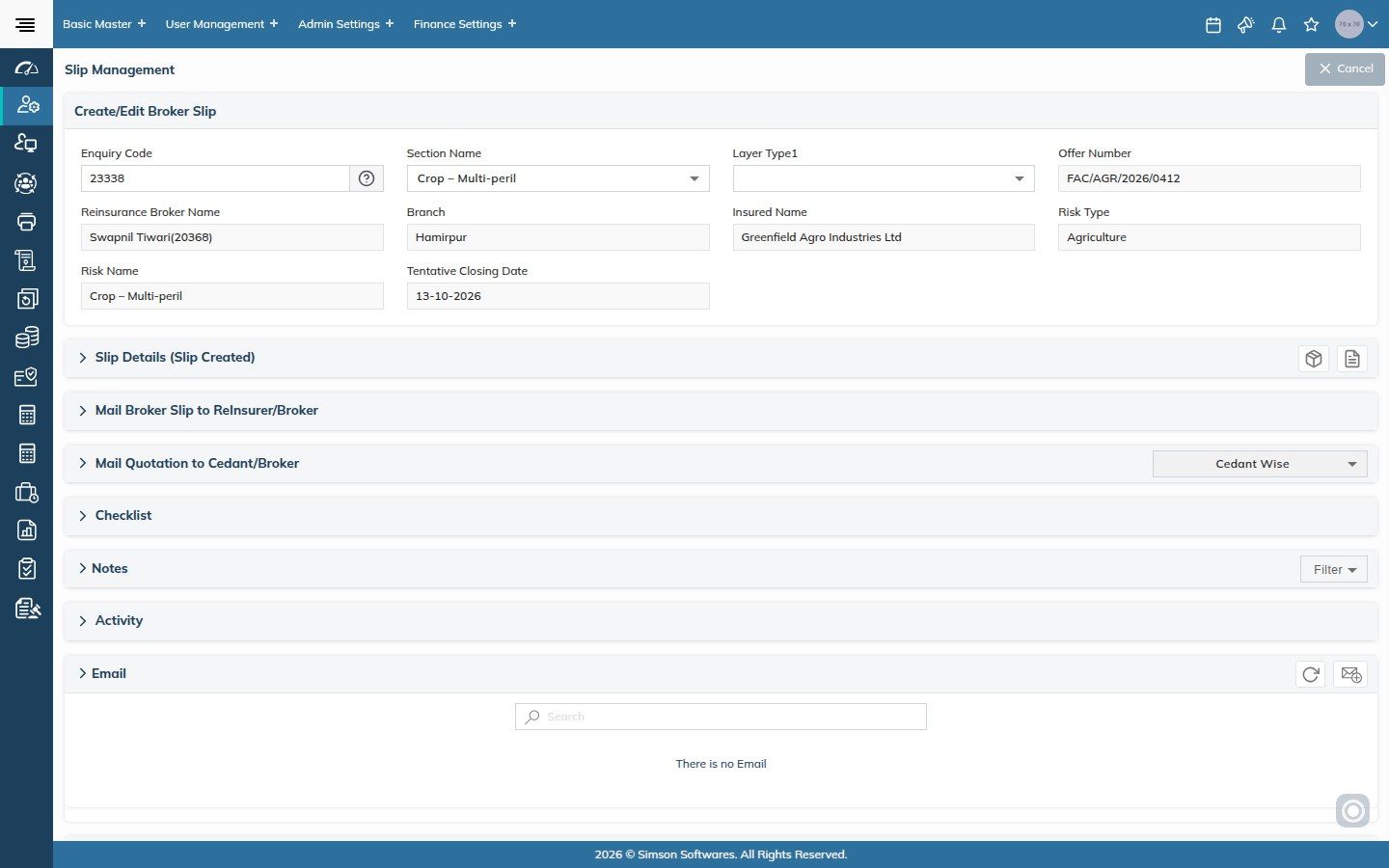
Slips and cover notes generated in Microsoft Word or Collabora Online, the way you write them today, but structured in the system.

  • Templates: pre-defined for each class and sub-class of risk, for each market, for facultative and for proportional and non-proportional treaty: broker, quotation and placing slips, cover notes, endorsement slips and addendum cover notes.
  • One flow of data: broker slip to quotation and placement slip, quotation slip to cover note.
  • Quotation requests: emailed automatically to the reinsurers and brokers you select.
  • Secure storage: slips, attachments and emails kept encrypted on the SARB server.
  • Reminders: at every stage of the process.
Broker slip with mails, checklist and notes
For business development and compliance

CRM (CARM)

Relationship management for every party in a reinsurance placement: original insureds, cedants, reinsurers, retrocedants, brokers, surveyors, loss adjusters, binders and MGAs. One record per party, with everything that has happened on it.

  • Every party type: original insureds, cedants, reinsurers, retrocedants, brokers, surveyors, loss adjusters, binders and MGAs, with group companies, branches and contacts linked together.
  • Sanctions, AML and PEP screening: every party checked against sanctions lists, politically exposed persons, blacklists and prohibited lists, using screening tools such as World-Check (LSEG, formerly Refinitiv) and LexisNexis, with results kept on the party record.
  • KYC and security: KYC documents, S&P, Fitch and Moody's ratings and funding limits held against each party.
  • Opportunities and activities: enquiries, meetings and follow-ups in one timeline.
  • Enquiry slip print: straight from the party or opportunity.
Party record with activities
For facultative placing and claims teams

Facultative

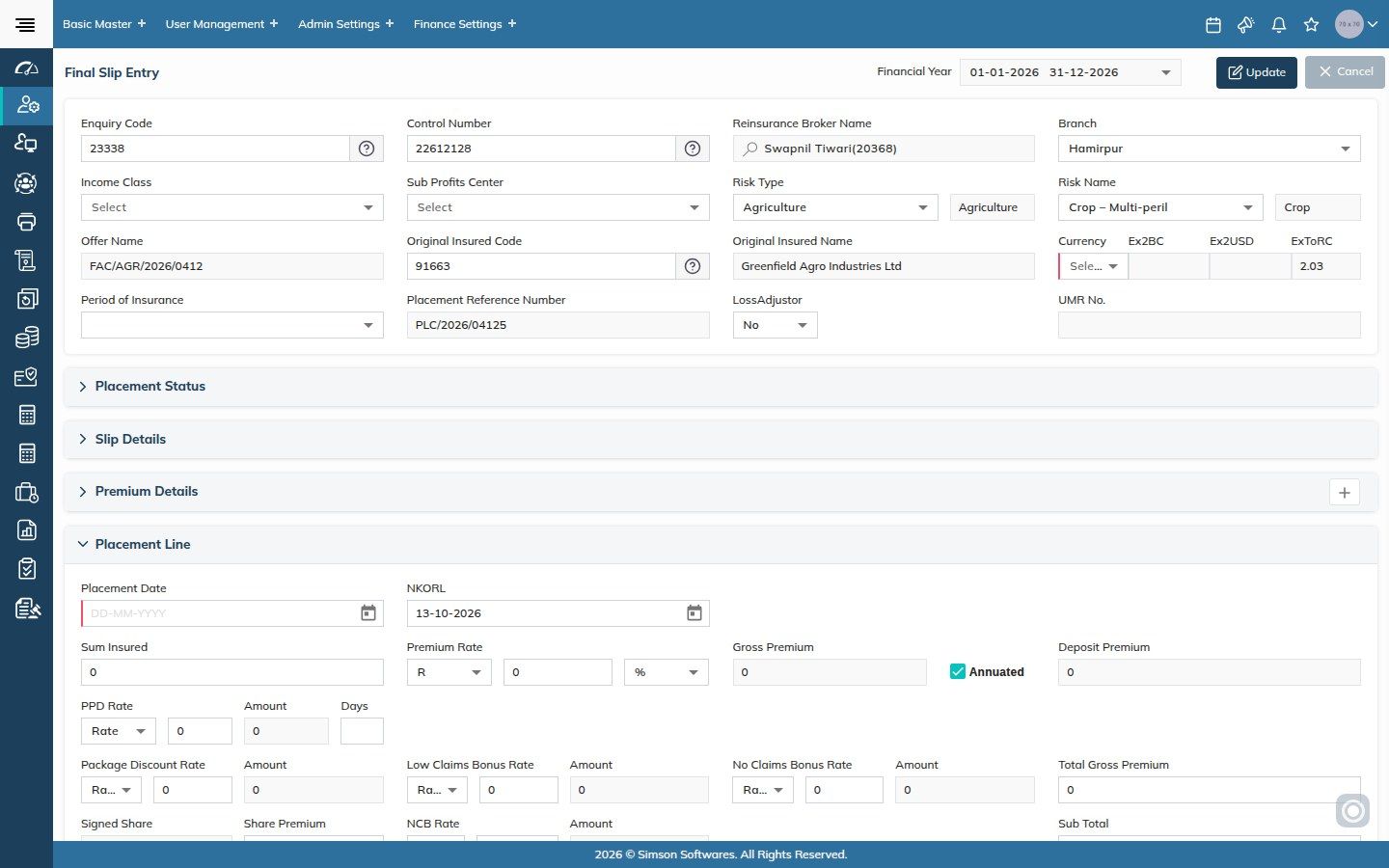
All facultative business, proportional and non-proportional: slips, placement, closings, endorsements and cover notes.

Microsoft Word and Collabora Online integrated

Every facultative document is generated from pre-defined templates for each class and sub-class of risk, for each market, then edited in Word or Collabora Online and kept on the record.

  • Broker slip
  • Quotation slip
  • Placing slip
  • Cover note
  • Endorsement slip
  • Addendum cover note
  • Proportional and XL: the full business and claims process for both.
  • Your own checklists: for users to validate data as they work.
  • Closings: generated and approved in one process.
  • Endorsements: proportional and non-proportional endorsement requests, imported from Excel where needed.
  • Sliding scales: ceding commission, brokerage and OR commission tables by import.
  • Reports: analytical and graphical, in business currency, US dollars or your own.
Final placement entry with each reinsurer line
For treaty placing and accounts teams

Treaty

All treaty business, proportional and non-proportional: slips, placements, periodical statements, closings and cover notes.

Microsoft Word and Collabora Online integrated

Every treaty document is generated from pre-defined templates for each class and sub-class of risk, for each market, then edited in Word or Collabora Online and kept on the record.

  • Broker slip
  • Quotation slip
  • Placing slip
  • Cover note
  • Endorsement slip
  • Addendum cover note
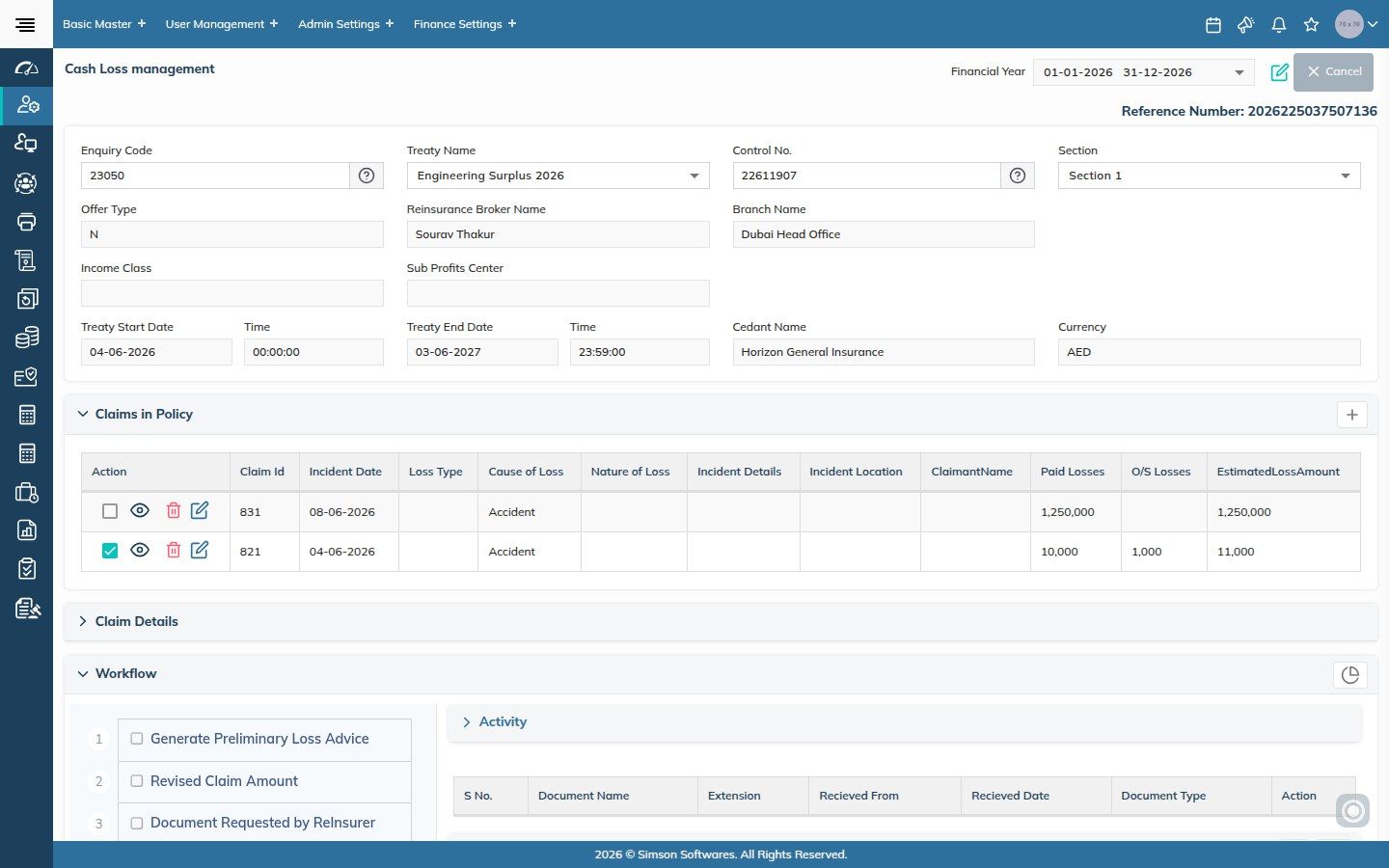
  • Proportional and XL treaties: business, claims and cash losses, end to end.
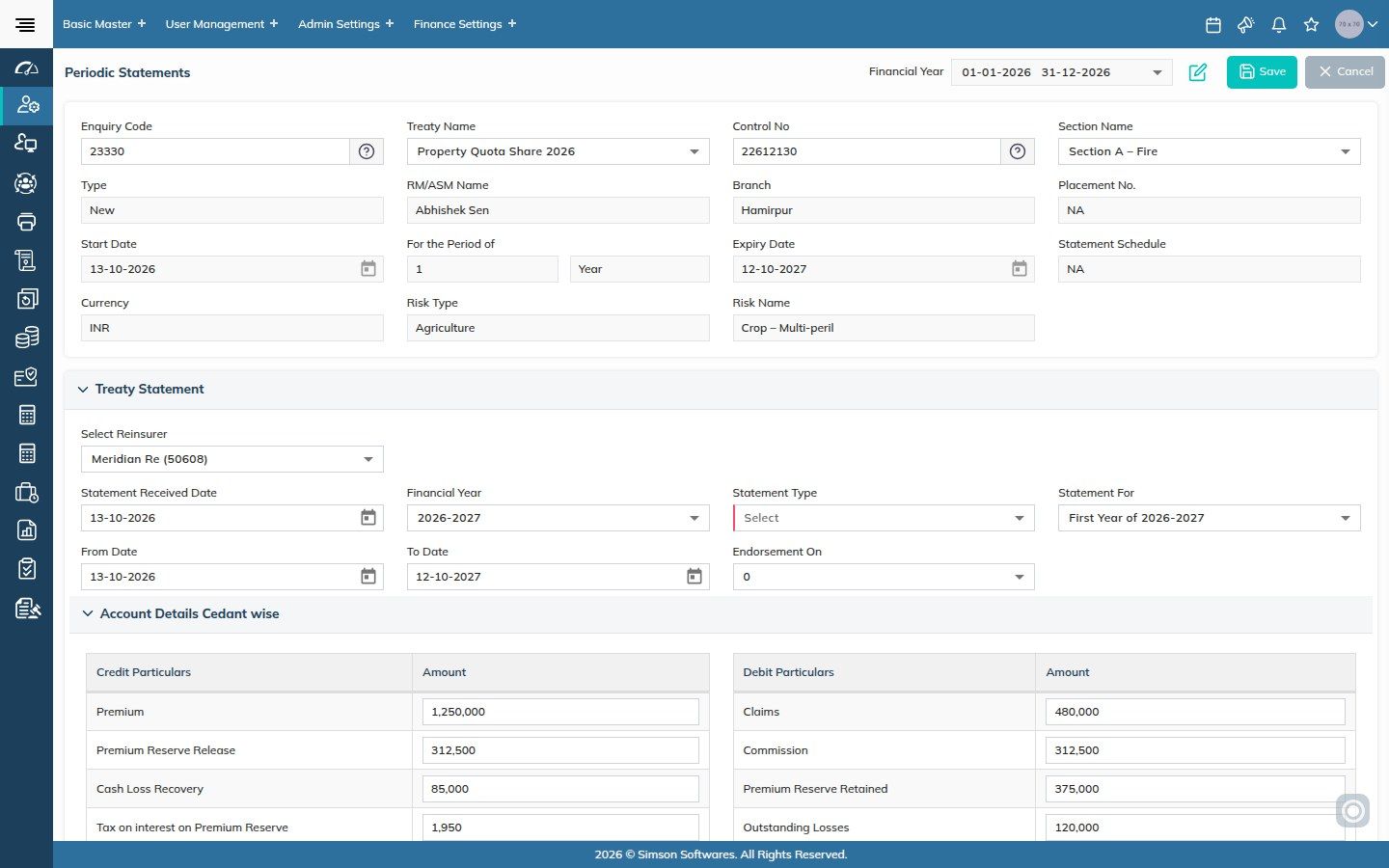
  • Statements against each reinsurer: premium, reserve releases and cash loss recoveries against claims, commission, reserves retained and outstanding losses, tied to financial year and statement period.
  • Bordereaux: proportional, non-proportional and cash loss bordereaux imported from Excel templates.
  • Collections and remittances: every one tracked.
  • Reminders: for statements, renewals and settlement of treaty accounts.
Treaty periodic statement with credits and debits
For accounts

Fee

Debit and credit notes of any kind, to any party.

  • Any party: a debit or credit note to anyone in the system.
  • Against an enquiry: fee notes raised before the business is placed.
  • Pure commission: commission-only debit and credit notes.
  • Reports: on fee income.
Debit and credit notes
For placing teams and management

Renewals

Every expiring contract on one dashboard, with renewal actions and lost-renewal reasons recorded for analysis.

  • Renewal dashboard: expiries by days to expiry, class, sub-class, branch, relationship manager and producer.
  • Renewal due report: filtered by cedant, insurer, risk and type of review.
  • Renewal action: renewed, lost or in progress, with reason and remarks on each control number.
  • Reminders: renewal patterns per class and party.
Renewals dashboard
For credit controllers

Collections & Credit Control

For whoever chases cedants and producing brokers for premium, by email, phone and more.

  • Dues on screen: with PPW/PPC dates and ageing.
  • Chase mails: sent from the system, with every communication kept electronically.
  • Receipts: receipt entries imported from Excel, with or without allocation.
  • Statement of account: reconciliation against reinsurer and cedant statements; payables tracked.
  • Collections dashboard: what came in, what is due and who is overdue.
Statement of account and collections
For finance teams

SiFAMs accounting

Our own multi-currency accounting system, closely integrated with SARB: vouchers and key information post automatically from SARB to SiFAMs, and back.

  • Your chart of accounts: set up by finance, with ledgers arranged the way you need.
  • Outstanding statements: for cedants, retrocedants, brokers, underwriters, producers, insureds and surveyors, in original and base currency.
  • Balance confirmations: emailed to parties straight from the system.
  • Remittances due: reported, with brokerage transferred to the expense account.
  • IBA and corporate books: insurance broking accounts, trust funds and the corporate P&L, budgets and fixed assets side by side.
  • Financial reports: trial balance, P&L, balance sheet, cash book, bank book and more.
SiFAMs statement of account
For compliance officers

Compliance

Sanctions, AML and PEP screening, blacklists and prohibited lists, compliance registers and contract management for every market you operate in.

  • Sanctions, AML and PEP screening: parties screened through tools such as World-Check (LSEG, formerly Refinitiv) and LexisNexis before business is placed, and re-screened over time.
  • Blacklists and prohibited lists: parties, countries and items your firm or regulator prohibits are flagged before a slip, closing or payment goes out.
  • AML report: generated by period in the format the regulator expects.
  • Compliance register: obligations by office, with a register report for audit.
  • Contract management: contract master and office master.
  • Audit trail: every change on every record, who and when.
Compliance workflow
For client servicing

Grievance

A ticket register for complaints and grievances, with category masters and the reports regulators ask for.

  • Tickets: logged against a party and category, with owner and status.
  • Ticket detail report: by status, category and age.
  • Grievance register report: for internal audit and regulators.
Grievance ticket register
For management

Reports & MIS

Management analysis and regulatory reports, analytical and graphical.

  • MIS: production, placement and collection by class, branch, relationship manager and producer.
  • Regulatory reports: in the format each regulator expects.
  • Exports: Excel, PDF and HTML, with Power BI and Smarten BI dashboards where used.
Management reports

Which module would you like to see first?

Tell us where the pain is today and we will start the demo there.